Have you ever wondered How to Backup an iPhone / How to backup an Android phone? More often than not, customers come to me in a complete panic with their broken mobile devices. The reason being that although they can often come to terms with the financial cost of a cracked screen, water damage or the inconvenience of the loss of documents, its the personal memories of loved ones and life events can be quite distressing, not to mention the loss of every phone number you have ever saved & all your music.
Virtually everything is going digital, smartphones have become essential tools for work, communication, entertainment, and personal organisation. Then there is the amount of important information stored on your mobile device which is significant and this is why taking the time to learn How to Backup and iPhone / How to backup an Android phone data on a regular basis really will help you avoid unnecessary stress and heat ache.
Regularly creating backups will give you peace of mind, your valuable data is safe, recoverable and easy to access in the event of an emergency.
How to Backup an iPhone / How to backup an Android phone – Risks
- Device Failure – it is estimated that 70% of the worlds population have a mobile phone. That is 5.8 Billion devices. Mobile phones are mass produced and as a result they fail. Not all board level failures can be repaired.
- Broken Screen – By far the most common repair is a cracked screen, but it is also one of the most expensive repairs & whilst your data will be safe even with a cracked screen, if you want the data off that device, you will probably need to get the screen repaired.
- Loss or Theft – although there is little chance of a thief gaining access to your data, if they enter your password too many times, the device locks. In the case of iPhones, you will need to Factory Reset your device to get past the locked screen, which will also delete all your data.
- Software problems – Whilst rare, software problems invariably mean a Factory Reset to re-install the operating system, once again deleting all your data.
- Water/ Physical Damage – This happens a lot. Just a small amount of water is enough to damage your device, making data recovery impossible. Sometimes we can recover the data or even get your device working again, but often we can not.
What Data Is Important To Back Up?
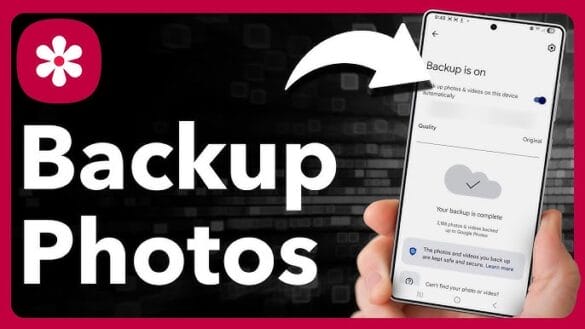 When deciding how to backup an iPhone / How to backup an Android phone, first consider what data is most important to you. Here is a list of some of the data you may want to keep:
- Photos and video footage containing all of your personal moments, events and memories, but beware that photos & videos take up a lot of storage space. I t may bedworth your while going through your photos and videos priori to backing them up and periodically to ensure you delete and photos & videos which you do not want to keep.
- SMS Messages and Call Logs of important conversations or records linked to business
- WhatsApp Messages. It is worth noting that WhatsApp needs to be back up through the App & will at the date of this article back up via the iPhone or Android back-up facility.
- Contacts – both personal and business contacts need to be easily retrieved should you lose your mobile device
- Files and Documents – could be work related or other personal notes, important files and reminders
- App Data – if you enjoy gaming, you may want to save your settings, preferences and progress
What are the Benefits of Regular Backups?
- Fast Recovery – If you are unfortunate enough to lose or damage your mobile device, your information can be quickly restored to your new device.
- Peace of Mind – You will no longer need to worry, knowing that your data is secure and can be retrieved should an issue occur with your device.
- No Data Loss – Your Regular Backups will prevent any loss of photos, videos contacts and documents that are important to you.
- Convenience – Automated cloud storage and backup services make the process simple and seamless so you don’t have to worry.
- Save Money & Time when Setting Up a New Phone – Transferring your data on to a new phone is easy. Often people decide to upgrade their phone when the cost of repairing their phone is beyond economical repair. In this case the old phone may have a cracked screen and the only way to retrieve the data would be to fix the screen, but if the data is back-up to a Cloud, the data can be retrieved from the Cloud storage.
What Backup Method Should You Use for my iPhone or Android Back-up?
This is where keeping those photos and videos trimmed will make a difference. Although remote storage is cheap, you will be amazed at how quickly your phone can accumulate data which is going to cost you more and more to back-up. What started out costing you like less than £2 a month could soon be costing you £20 plus.
How to Backup an iPhone the best place is iCloud… Services such as iCloud offer secure remote storage for your data, your data is stored off site and can be restored to another device if needed. iCloud is cheap, I mean really cheap, here is a link to check out the prices on How Much it Costs for iCloud Storage if you are based in the UK.
How to Backup an Android phone the best place is Google Drive via your Google account. Google owns the Play Store, which is where all the Android apps are stored, so it only makes sense to have a Google Account. You could always use the Samsung Cloud, but not all android devices have access to their own cloud services, so Google is probably the best option. Once again, the prices are very reasonable, here is a link if you want to check out the prices on How Much it Costs for Google Drive Storage in the UK
You may prefer to use an external hard drive or USB stick or backing up on to your computer. Personally I would not recommend this. Cloud storage is so cheap and the chances of you forgetting to back up to an external source is pretty high, not to mention the cost of an external drive or usb stick. Personally do both.
How to Set-up Automated Backups
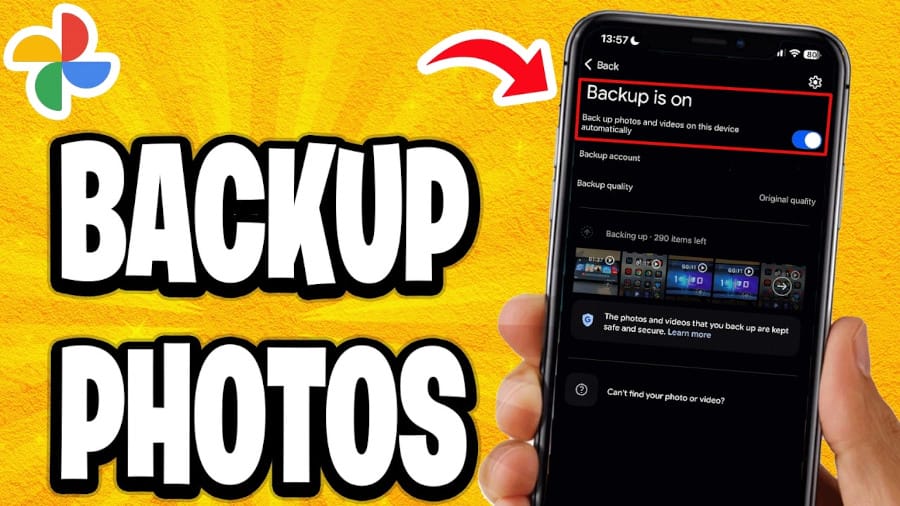
All smartphones allow you to create automatic backups of all of your data on a regular basis, including WhatsApp, which must be setup in the App. This takes out the hassle of having to remember to manually back it up your data.
It’s Easy to Set Up Backup Services, simply go to Settings, then search the settings for Backup and follow the instructions. I have links to Youtube where you can see how to accomplish this. Smartphones are always evolving, so it makes no sense to include a link to a specific video as this blog will become dated like my previous blog How to Backup an Android Just in Case, instead here is a link to the most recent videos on How to Backup an iPhone and How Backup an Android phone
Whether you prefer iCloud Storage, automatic backups or external drives, there is definitely something to suit your requirements. Regularly backing up your mobile data is a crucial step to protecting your valuable information.
If you haven’t done so already….please take the time to set up a safe and reliable backup plan.
I can not stress this enough to my customers.