
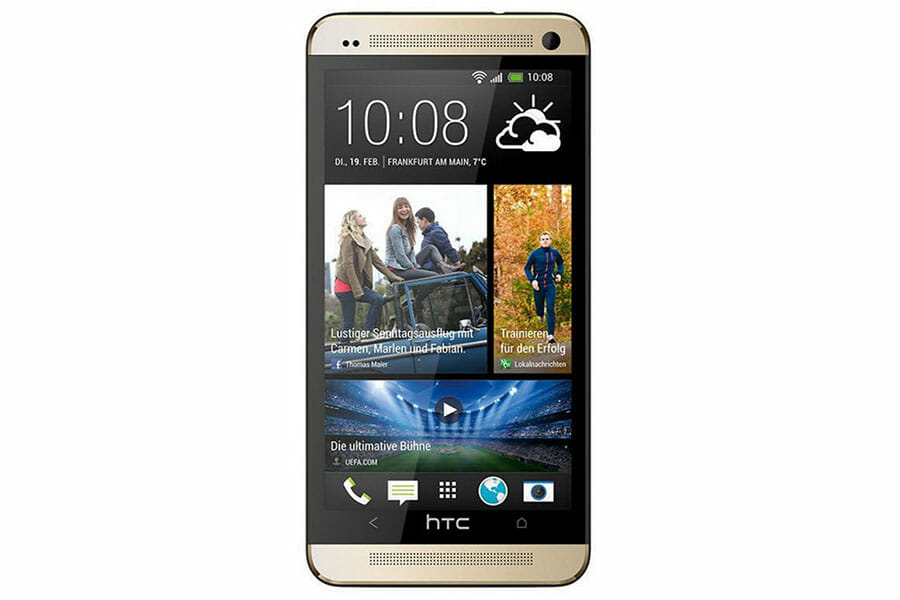
HTC One M7 Repair
Testimonials
Real customer reviews
Screen Repair |
£69.99 |
Battery Replacement |
£49.99 |
Screen & Battery Replacement |
£99.98 |
We also do other repairs such as…
Water / Liquid Damage Repair, Full Diagnostic Service, Power Button Repair, Earpiece Repair, Microphone Repair, Loudspeaker Repair, Rear Camera Repair, Front Camera Repair, Headphone Jack Repair, Vibration Repair, Software Fixes, Data Recovery.
Call for a quote – 07411 323 732
Or fill out the form below, we will respond as soon as possible…
Consider This
If We Come To You
We know you are busy, so we offer a service where we come to you. We will arrive in a Red DrFixit Van at your home or work or wherever you want. Our vans are fully fitted with all the necessary tools to get your device working in no time. Did I mention our call out charge starts from only £15 to come to you? I am sure you agree… that level of convenience makes perfect sense. To find out more, please visit our page If We Come To You.
No Fix No Fee?
We would love to be able to fix every device and would love to be able to give you your device back working as it should be. Some devices are just beyond repair or need to be taken to a Micro-Soldering Specialist. Our expertise has taken years to acquire, so we charge £20 for any device which we are not able to repair. This by no means covers our costs, as we sometimes spend in excess of an hour or two working through different options to get your device working again. In the event that you have called us out to your location, we will only charge you the call out fee plus £10. If we are unable to repair your device, we may still be able to help get your device fixed and may even be able to get your data recovered. We have teamed up with a specialist “Micro-Soldering Board Level Repair Company” here in Bristol specifically to ensure we get your device fixed in almost all cases.
12 Month Warranty
We will not use cheap parts and will certainly not do a botch job either. You can rely on us. If you have any problems after the repair has been completed, just give us a call.
HTC One M7 Known Issues
A dead strip across the touchscreen on a phone that never hit the floor
Here’s the one that catches people out. A band across the middle of the display stops registering touch, everything either side of it carries on working perfectly, and the owner will tell you — correctly — that the phone has never been dropped. Owners comparing notes on XDA found plenty of company. It’s the digitiser, or the digitiser’s connector working loose inside the chassis, and there is no way to tell which from the outside. The phone has to come apart to find out. No reset, no app, no setting is bringing that strip back.
Ten seconds of normal, then a reboot, over and over
It boots. It loads. It behaves itself for roughly ten seconds. Then it crashes straight back into the boot animation and does the whole thing again. One owner watched a perfectly healthy M7 drop into this out of nowhere, got himself as far as the bootloader, ran a factory reset — and the loop carried on regardless. That last part is the useful bit. A boot loop that survives a full wipe isn’t a software sulk you can clear from a settings menu, and the wipe costs you your data to learn it.
It charges from the cable, but no computer will ever see it
Plug it in and it charges. Plug it into a PC — any PC, and try a second one to be certain — and nothing. No device, no drivers, no connection whatsoever. A micro-USB port carries five separate connections, and it’s commonly joined to the mainboard by a thin flat cable rather than soldered straight down, so the charging pins can keep making contact long after the data lines have quietly given up. It’s a mean one to be landed with, too, because the usual route out of any serious software trouble runs through that same port.
A battery that barely sees out the day — and gets worse after a soaking
Owners were grumbling about roughly a day of runtime on this phone when it was still a current flagship, and the years since have not been kind to any cell. There’s a second version of this worth knowing about, though. One owner got caught out in the rain and afterwards saw at most half his old battery life, with nothing about how he used the phone having changed. Moisture doesn’t have to kill a phone outright to leave a mark on it. A sudden step down after a wet day is a different story from a cell that’s simply old.
A charging light that lies to you
Good news for once. The charging LED throwing an error on an M7 is, according to people who have seen a lot of these phones, very common — and if the phone is actually taking a charge, the light isn’t telling you anything worth acting on. Worth knowing before anyone pays to chase it. It shows up on phones being revived with a replacement battery as well, where it’s tempting to blame the new cell. Watch whether the percentage is climbing. If it is, ignore the light.
The infrared port that quietly stops working
Nobody notices this one until they go to use it. The M7 has an infrared port on board, and it can fail all by itself while the rest of the phone carries on perfectly. One owner diagnosed it the right way round — tried the same thing on a second M7, watched it work there, which rules out the software and leaves the hardware. No error message, no warning, nothing on screen. The feature is simply gone, and the phone will never mention it.
Sources
- https://xdaforums.com/t/q-htc-one-m7-screen-problem.3097509/
- https://www.youtube.com/watch?v=GGU6MVUrbr8
- https://xdaforums.com/t/q-htc-one-m7-problem.2950329/
- https://www.youtube.com/watch?v=u2kMgejnjjw
- https://xdaforums.com/t/two-problems-with-my-htc-one-m7-infrared-and-handsfree-one-question-please.3354298/
- https://xdaforums.com/t/htc-one-m7-charging-issues.4128479/