
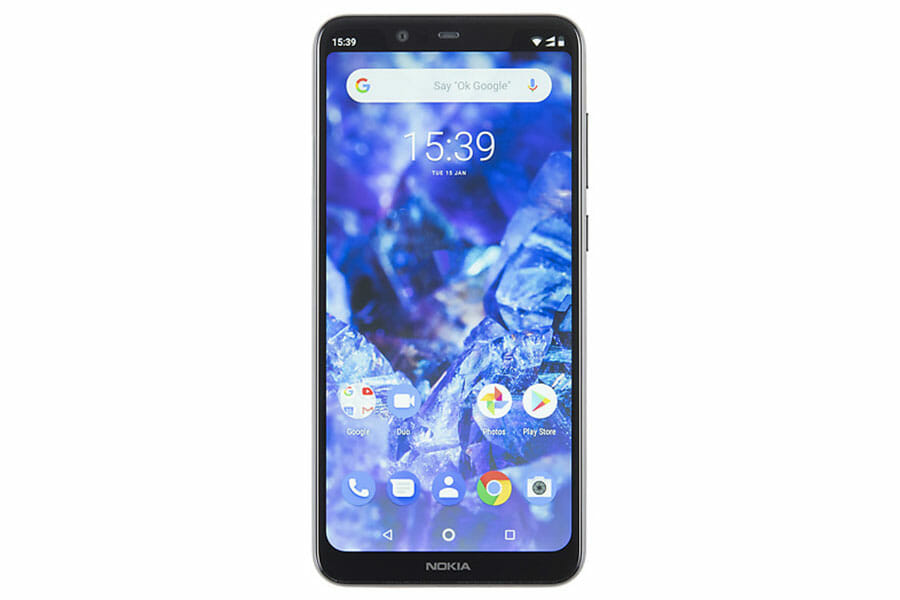
Nokia 5.1 / 5.1+ Plus Repair
Testimonials
Real customer reviews
Screen Repair |
£94.99 |
Rear Cover Replacement |
£34.99 |
Screen & Rear Cover Replacement |
£119.98 |
Charging Port Repair |
£44.99 |
We also do other repairs such as…
Water / Liquid Damage Repair, Full Diagnostic Service, Power Button Repair, Earpiece Repair, Microphone Repair, Loudspeaker Repair, Rear Camera Repair, Front Camera Repair, Headphone Jack Repair, Vibration Repair, Software Fixes, Data Recovery.
Call for a quote – 0117 230 0070
Or fill out the form below, we will respond as soon as possible…
Consider This
If We Come To You
We know you are busy, so we offer a service where we come to you. We will arrive in a Red DrFixit Van at your home or work or wherever you want. Our vans are fully fitted with all the necessary tools to get your device working in no time. Did I mention our call out charge starts from only £15 to come to you? I am sure you agree… that level of convenience makes perfect sense. To find out more, please visit our page If We Come To You.
No Fix No Fee?
We would love to be able to fix every device and would love to be able to give you your device back working as it should be. Some devices are just beyond repair or need to be taken to a Micro-Soldering Specialist. Our expertise has taken years to acquire, so we charge £20 for any device which we are not able to repair. This by no means covers our costs, as we sometimes spend in excess of an hour or two working through different options to get your device working again. In the event that you have called us out to your location, we will only charge you the call out fee plus £10. If we are unable to repair your device, we may still be able to help get your device fixed and may even be able to get your data recovered. We have teamed up with a specialist “Micro-Soldering Board Level Repair Company” here in Bristol specifically to ensure we get your device fixed in almost all cases.
12 Month Warranty
We will not use cheap parts and will certainly not do a botch job either. You can rely on us. If you have any problems after the repair has been completed, just give us a call.
Nokia 5.1 / 5.1+ Plus Known Issues
No signal at all, from a SIM that’s already been proven good
So the useful part of this fault is what’s already been ruled out. A Nokia 5.1 turning up with no cellular signal whatsoever, where the same SIM card registers instantly in a second handset, has had the cheap answer eliminated before it reaches the bench — the card works, the account works, and the phone still can’t see a mast. That moves the problem onto the device’s own radio path: the antenna contacts, their spring connections, and the route back to the board. Parts problem first, board problem second. Never the other way round.
Apps killed in the background, with no setting left to stop it
So this one is Nokia’s own software management, not a fault in anything you can replace. Owners report the Background Activity Manager option simply absent from Settings, and apps closing themselves after a few minutes untouched. Posters running both the 5.1 (TA-1075) and the 5.1 Plus (TA-1108) went further — disabling the Evenwell components and DuraSpeed over ADB, confirming they were genuinely off, and watching the apps get killed anyway. The toggle is missing and switching off the obvious culprit changes nothing. No repair addresses this.
Power and volume keys all dead together
So when the power key and both volume keys stop responding at the same moment, three separate switches failing simultaneously is the least likely explanation. On this board those keys sit on supply lines that run as traces, and traces break — from a drop, or from moisture creeping under the frame. Board-level repair material for the 5.1 Plus exists specifically to map those supply paths and rebuild them with jumper wires. Three dead keys at once is a trace fault until measurement proves otherwise. Microscope work, not a parts swap.
Sound settings force-closing after a platform update
So this is pure software, and the timing gives it away — it appears after a major Android update, not after any kind of knock. Open Settings, tap Sound, and the settings app closes itself. The speaker is fine. The headphone jack is fine. The board is fine. Nokia 5.1 Plus owners hit this across more than one update round, enough that repair creators published workarounds and then follow-up videos checking whether the next update had actually fixed anything. Rule software out before anyone opens the phone.
One-time passcodes never arriving while calls work normally
So a phone that dials out, takes calls and holds a conversation is telling you its radio path is intact. That’s the measurement. If the bank’s verification text then never lands, the failure is further up — and what gets reported on the 5.1 Plus, and on its 6.1 Plus sibling, is a whole cluster going wrong together: OTP messages not arriving, blocked numbers still getting through, call waiting refusing to work. Messaging and dialler configuration, not hardware. Worth knowing before a shop quotes for an antenna.
Bricked or stuck in recovery after a firmware flash
So this is the one that turns a working phone into a brick, and it’s self-inflicted rather than a fault. The 5.1 Plus is a MediaTek device flashed with SP Flash Tool, and pushing an older firmware build over a newer one without Nokia’s own downgrade file first leaves it reboot-looping or stuck in recovery — sometimes with the tool cheerfully reporting a successful flash while the phone does nothing. The Format + Upgrade option is the point of no return. After that, recovery means service-level tooling, which costs considerably more than the software job it started as.
Sources
- https://xdaforums.com/t/help-my-nokia-5-1-has-no-cellular-signal.4018413/
- https://xdaforums.com/t/nokia-5-1-missing-background-activity-manager-option.3888584/
- https://xdaforums.com/t/my-nokia-5-1-plus-got-dead.3954709/
- https://www.youtube.com/watch?v=hBioF106St0
- https://www.youtube.com/watch?v=gQWeji9euvg
- https://www.youtube.com/watch?v=STDTZI2ifjM
- https://www.youtube.com/watch?v=8cB50O6XaSM
- https://www.youtube.com/watch?v=l9byElJHu9k