
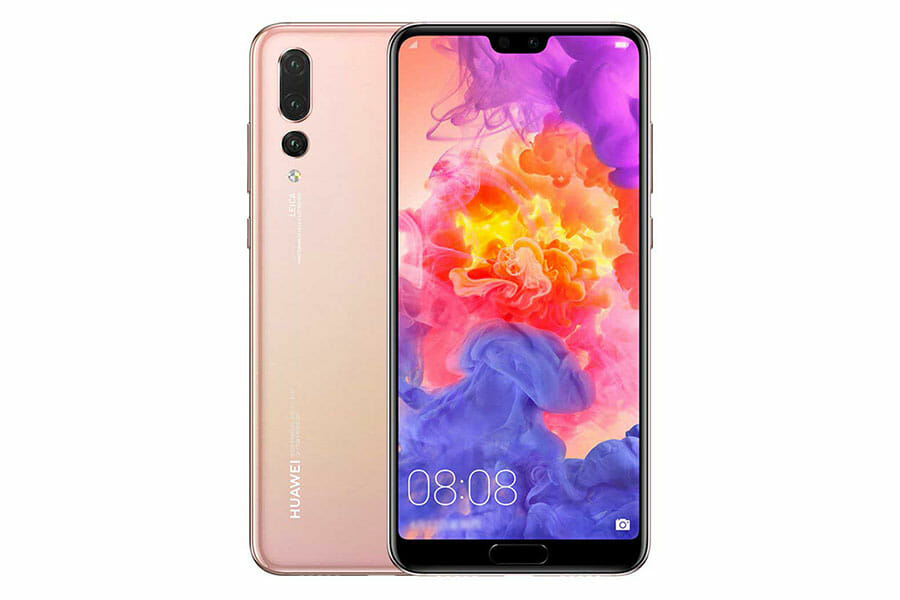
Huawei P20 Pro Repair
Testimonials
Real customer reviews
Screen Repair |
£259.99 |
Back Cover Replacement |
£39.99 |
Screen & Back Cover Replacement |
£289.98 |
We also do other repairs such as…
Water / Liquid Damage Repair, Full Diagnostic Service, Power Button Repair, Earpiece Repair, Microphone Repair, Loudspeaker Repair, Rear Camera Repair, Front Camera Repair, Headphone Jack Repair, Vibration Repair, Software Fixes, Data Recovery.
Call for a quote – 0117 230 0070
Or fill out the form below, we will respond as soon as possible…
Consider This
If We Come To You
We know you are busy, so we offer a service where we come to you. We will arrive in a Red DrFixit Van at your home or work or wherever you want. Our vans are fully fitted with all the necessary tools to get your device working in no time. Did I mention our call out charge starts from only £15 to come to you? I am sure you agree… that level of convenience makes perfect sense. To find out more, please visit our page If We Come To You.
No Fix No Fee?
We would love to be able to fix every device and would love to be able to give you your device back working as it should be. Some devices are just beyond repair or need to be taken to a Micro-Soldering Specialist. Our expertise has taken years to acquire, so we charge £20 for any device which we are not able to repair. This by no means covers our costs, as we sometimes spend in excess of an hour or two working through different options to get your device working again. In the event that you have called us out to your location, we will only charge you the call out fee plus £10. If we are unable to repair your device, we may still be able to help get your device fixed and may even be able to get your data recovered. We have teamed up with a specialist “Micro-Soldering Board Level Repair Company” here in Bristol specifically to ensure we get your device fixed in almost all cases.
12 Month Warranty
We will not use cheap parts and will certainly not do a botch job either. You can rely on us. If you have any problems after the repair has been completed, just give us a call.
Huawei P20 Pro Known Issues
Fingerprint Reader Suddenly Clocks Out
The fingerprint reader on the P20 Pro has a nasty habit of just… quitting. Not glitching, not misreading — vanishing. The option disappears from settings entirely, sometimes overnight, and more than one owner reported the sensor running noticeably hot right before it died. It’s common enough that a factory reset rarely brings it back, which points at the reader module or its flex cable rather than a setting gone wrong. Worth checking before writing the whole phone off.
Random Reboots That Even a New Motherboard Won’t Always Fix
This one’s stubborn. Multiple owners reported the P20 Pro rebooting itself two or three times a week with no pattern and no common app — others got the meaner version, where it just drops dead in a pocket and needs a long hold on the power button to come back. Factory resets sometimes calm it down, sometimes do nothing, and one owner said it kept happening even after a full motherboard swap. That points at firmware or a flaky connector rather than one bad chip — exactly the kind of fault a proper diagnostic beats a guess on.
Calls Where You Can Hear Them, They Can’t Hear You
Huawei’s mic routing has a specific failure mode on this phone: you hear the other person crystal clear, they hear dead air. A cluster of P20 Pro owners traced it to switching between Bluetooth headsets and the USB-C adapter, or toggling the phone’s Private Space feature — both seem to leave the mic pointed at the wrong input. A restart fixes it for a call or two before it creeps back, which is the signature of a software routing bug, not a dead microphone.
PC Won’t See the Phone Over USB (But It’ll Still Charge)
Plug it in and it charges fine — but Windows or macOS never sees it, no popup, no drive letter, nothing. A good number of owners hit this, and the fixes that actually worked point at EMUI’s own USB settings rather than a broken port: forcing “Transfer files” mode, enabling the always-prompt developer option, or reinstalling HiSuite’s own drivers. One thread flagged that downgrading firmware after certain updates can lock USB data transfer out entirely as a security measure. Worth ruling out before assuming a dead port.
The “Dead” Phone That Was Just a Loose Battery Connector
One repair channel picked up a P20 Pro that a previous shop had written off as unrepairable — turned out to be nothing more than a battery connector that had worked itself loose inside the chassis. Reseated, and the phone was back. Good reminder that on this phone a dead-seeming board isn’t always a dead board — the cameras and motherboard sit behind two coaxial cables and several connectors that are easy to disturb during any repair, so a “no power” symptom deserves a proper connector check before anything gets replaced.
Sources
- https://xdaforums.com/t/p20-pro-issues-no-fingerprint-scanner-and-now-no-fast-charging.3794739/
- https://xdaforums.com/t/p20-pro-random-reboot-self-restart.3804078/
- https://xdaforums.com/t/huawei-p20-pro-issues.3784256/
- https://xdaforums.com/t/p20-pro-microphone-issues.3781114/
- https://xdaforums.com/t/huawei-p20-pro-problem.3867745/
- https://www.youtube.com/watch?v=0sjRP0f7En8
Related Huawei Repairs